Update, October 26, 2026. On October 21, PHP released fixes for two critical remote code execution flaws, CVE-2026-109618 and CVE-2026-109619. Both score 9.2 on CVSS v4.0. PHP 8.1 and older are affected but no longer receive official patches, so those servers need an upgrade, not a hotfix. Check the official PHP advisory for the exact fixed version of your branch.
A single bug in PHP can sit on millions of servers at once. PHP runs close to 70 percent of the websites whose language can be identified, so when the engine itself has a flaw, the exposure is wide and the clock starts for everyone together.
This guide explains what a PHP vulnerability is, how it becomes an attack, which flaws show up most often, and what to do about them. If you are here because of this week’s advisory, jump to the section on end of life risks and the first 24 hours runbook.
What is a PHP vulnerability?
A PHP vulnerability is a weakness in PHP code, its configuration, or the PHP engine itself that lets an attacker do something the owner never intended. That can mean reading private data, running commands on the server, or taking over the whole site.
Two different problems get lumped together under this label, and the fix differs for each.
Flaws in your code or plugins
These come from how an application handles input. A search box that passes text straight into a database query is the classic case. Developers, or the vendors of a plugin or theme, have to fix these in the code.
Flaws in the PHP engine
These live in PHP itself, in its memory handling, built-in functions or extensions. Nothing in your application has to be wrong. The only fix is to run a patched version of PHP.
Why PHP gets targeted so often
- Reach. One working exploit can be tried against a very large number of sites.
- Legacy code. Many PHP applications are a decade old and were written before today’s input-handling habits.
- Third-party code. Plugins, themes and packages add code the site owner did not write and rarely reads.
- Slow patching. Shared hosting and unmanaged servers often run old versions for years.
Four terms you will see in advisories
- CVE: a public ID for one specific vulnerability, such as CVE-2026-109618.
- CVSS: a 0 to 10 score for severity. Anything from 9.0 up is rated critical.
- Patch: a code update that removes the weakness.
- End of life: a version that no longer gets security fixes from its maintainers.
How a PHP vulnerability turns into an attack
Most PHP attacks follow the same chain. Knowing the links tells you where to put a control.
- Untrusted input arrives. A form field, URL parameter, cookie, header or uploaded file reaches the application.
- The code handles it unsafely. The input is placed into a database query, a shell command, a file path or a page without being checked or escaped.
- The attacker gains a foothold. The server runs the attacker’s data as a command, query or script.
- The foothold is widened. The attacker reads configuration files, steals credentials, plants a web shell or moves to other systems.
- The damage lands. Customer data is taken, the site serves malware, pages are defaced, or the server is locked for ransom.
Each step has a matching control. Input validation and parameterized queries break step 2. Least-privilege accounts and file permissions limit step 4. Backups and monitoring shorten step 5. A patch for an engine flaw removes step 3 entirely.
The point most teams miss is that step 1 is open to the whole internet. Anyone can send a request, so any weakness reachable from a public page is tested within hours of being found.
Common PHP vulnerabilities
These seven account for most of what appears in real incident reports on PHP applications.
| Vulnerability | How it happens | What the attacker gets | Main fix |
| SQL injection | User input is joined into a database query | Read, change or delete database records | Prepared statements |
| Cross-site scripting (XSS) | User input is printed into a page unescaped | Runs script in other visitors’ browsers, steals sessions | Output encoding |
| File inclusion | A file path is built from user input | Reads local files or loads attacker code | Fixed allow-list of files |
| File upload flaws | Uploads are accepted without checking type and location | A script on your server | Validate, rename, store outside web root |
| Session hijacking | Session IDs are exposed or predictable | Takes over a logged-in user | Secure, HttpOnly cookies; regenerate IDs |
| Insecure deserialization | Untrusted data is passed to unserialize() | Object manipulation, sometimes code execution | Never unserialize untrusted data |
| Weak authentication | Weak passwords, no lockout, no second factor | Account takeover | Rate limits, strong hashing, MFA |
SQL injection
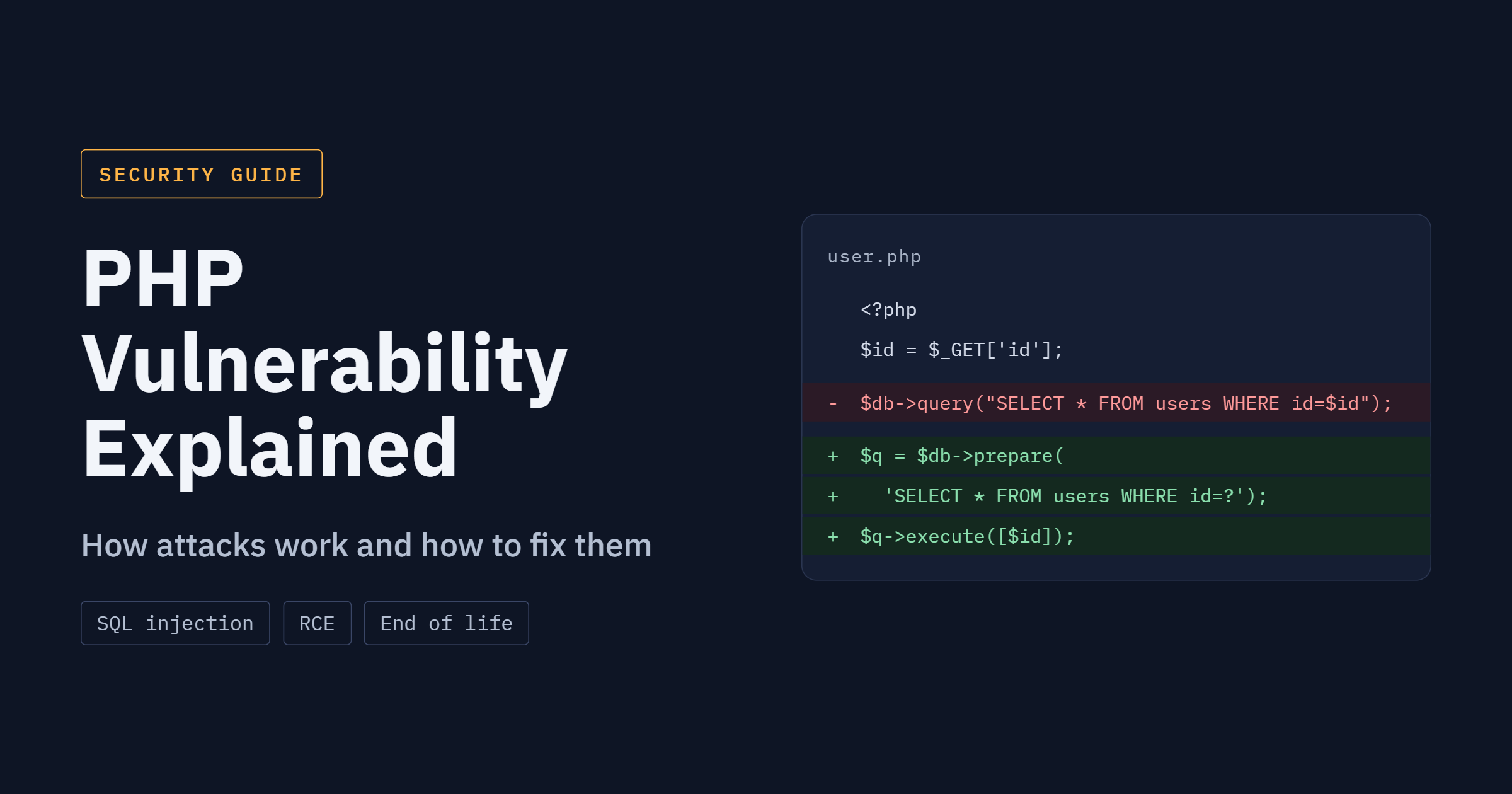
This is the oldest problem on the list and still the most common. The vulnerable version builds the query as a string:
$id = $_GET[‘id’];
$result = $db->query(“SELECT * FROM orders WHERE id = $id”);
If someone sends 1 OR 1=1, the query returns every order. The safe version keeps the query and the data apart:
$stmt = $db->prepare(‘SELECT * FROM orders WHERE id = ?’);
$stmt->execute([$_GET[‘id’]]);
Cross-site scripting
Printing a name straight from a form lets an attacker store a script that runs for every visitor who sees it. Encode on output, every time:
echo htmlspecialchars($name, ENT_QUOTES, ‘UTF-8’);
File inclusion
A line like include $_GET[‘page’] . ‘.php’; lets a visitor choose which file the server loads. Map page names to a fixed list and reject everything else:
$pages = [‘home’ => ‘home.php’, ‘contact’ => ‘contact.php’];
$page = $_GET[‘page’] ?? ‘home’;
if (!isset($pages[$page])) { $page = ‘home’; }
include __DIR__ . ‘/pages/’ . $pages[$page];
PHP remote code execution vulnerability: the one to worry about most
What remote code execution means
Remote code execution, or RCE, means an attacker who is not on your network can make your server run commands of their choosing. The server does the work, with the same permissions as the PHP process. From there an attacker can read configuration files, copy the database, install a backdoor or use the server to attack others.
A short example from application code: a script that passes a user-supplied filename into a shell command lets a visitor add their own command after it. That is a flaw in the application. The October 2026 flaws are different, because the weakness sits inside PHP itself.
The October 2026 flaws
PHP published fixes on October 21 for two critical issues. Both are scored 9.2 on CVSS v4.0, and both affect how PHP manages memory.
- CVE-2026-109618. After a memory allocation fails, PHP leaves invalid data behind for its cleanup routine to process. Security researchers who reproduced it showed that a single unauthenticated HTTP POST request could trigger the corruption, and that the attacker’s command then runs while PHP cleans up the failed request.
- CVE-2026-109619. A PHP worker can reuse state left behind by an earlier request, so data from one request can surface in another.
Read the official PHP advisory for the exact fixed versions, because patch numbers differ by branch.
Why this rating is critical
Three things push the score up. No login is needed. The request can come from anywhere on the internet. And a successful attack gives control of the server rather than a single account. That combination is why European cybersecurity officials told organizations that could not patch quickly to take affected sites offline.
Signs a server may be compromised
- A PHP or web server process starting a shell, such as sh or bash. Normal PHP sites rarely do this.
- New or recently changed .php files in upload, cache or temp folders.
- Unexpected outbound connections from the web server.
- Repeated POST requests followed by 500 errors in the access and error logs.
- Admin users or scheduled tasks you did not create.
If you see any of these, treat the server as compromised, preserve the logs, and follow the runbook below.
PHP end of life security risks
End of life means the PHP project has stopped issuing security fixes for a version. Any flaw found afterward stays open for good. For the October 2026 flaws, PHP 5 through 8.1 are affected and will not get an official patch, so the only complete fix on those versions is moving to a supported release.
The risk grows quietly. An old version does not break or warn you. It keeps serving pages while its list of known, unfixed flaws gets longer, and attackers read the same public advisories you do.
How to check your PHP version
- Hosting panel. Most control panels show the PHP version under a setting named PHP, MultiPHP or Languages.
- Command line. Run php -v on the server. If the site runs under PHP-FPM or a different binary, confirm it is the one the web server actually uses.
- WordPress. Open Tools, then Site Health, then the Info tab, and read the Server section.
- A test file. A temporary phpinfo() page shows the version, but remove it right after. It exposes configuration details to anyone who finds it.
Check every environment, including staging and old subdomains. Forgotten servers are where outdated versions tend to survive.
Planning the upgrade
- Take a full backup of files and database, and confirm you can restore it.
- Clone the site to a staging server on the target PHP version.
- Turn on error logging and look for deprecated or removed functions.
- Update plugins, themes and packages to versions that support the new release. Replace any that are abandoned.
- Test the checkout, login, forms and any scheduled jobs.
- Switch production during a low-traffic window, and keep the old environment for a quick rollback.
The most common blockers are abandoned plugins and custom code that relies on removed functions. Budget time for those rather than for the version switch itself.
If you cannot upgrade this week
Treat it as a short, dated exception, not a plan. Put a web application firewall in front of the site, restrict access to admin paths, limit what the web server can reach on the network, and watch process and log activity closely. Set a firm upgrade date and assign an owner.
[Insert one anonymized example from your own client or internal work here: what version was found, how long it had been running, and what the upgrade turned up.]
How to prevent PHP vulnerabilities
Prevention splits into two jobs. Developers control how code treats input. Site owners control how fast fixes reach production. Both matter, and neither replaces the other.
For developers
- Use prepared statements for every database query, with no exceptions for “internal” values.
- Encode output for the context it lands in: HTML, attribute, JavaScript or URL.
- Validate input against what you expect, such as type, length and allowed values, and reject the rest.
- Accept uploads only from authenticated users, check the real file type, rename the file, and store it outside the web root.
- Set session cookies with the Secure, HttpOnly and SameSite flags, and regenerate the session ID after login.
- Hash passwords with password_hash(), and add rate limiting and multi-factor authentication to logins.
- Never pass user data to unserialize(), eval(), system() or similar functions. Use JSON for data exchange.
- Keep Composer dependencies current and review what each package pulls in.
For site owners
- Run a supported PHP version, and put the end-of-support date in a calendar.
- Apply security updates to the CMS, plugins and themes within days, not months.
- Delete plugins, themes and test files you do not use. Deactivated code can still be attacked.
- Give the web server account the lowest file permissions that still let the site work.
- Keep database credentials and API keys out of the web root and out of version control.
- Back up files and database, store a copy off the server, and restore a backup at least once a quarter to prove it works.
- Serve everything over HTTPS and turn on a web application firewall.
- Turn off display_errors in production, so error messages do not reveal paths and queries.
One habit that pays off
Keep a simple inventory: every site, its PHP version, its CMS version, and who owns it. Most missed patches come from a server nobody remembered.
PHP vulnerability scanning and penetration testing
Patching handles what is already known. Scanning and testing look for what is still open on your own systems.
Scanning versus penetration testing
| Vulnerability scanning | Penetration testing | |
| What it does | Automated checks against known flaws and misconfigurations | A person tries to break in, chaining weaknesses together |
| Finds | Outdated versions, missing patches, known plugin flaws | Logic errors, access-control gaps, flaws that need several steps |
| How often | Weekly or after every release | Yearly, and after major changes |
| Output | A list of findings with severity | A report showing what was reached and how |
A scan tells you what is probably wrong. A test tells you what an attacker could actually do with it. Most teams need both.
Tools that cover different ground
- Static analysis reads source code and flags risky patterns such as unsafe queries or dangerous functions, before the code runs.
- Dependency scanning checks Composer packages and plugins against published advisories.
- Dynamic scanning probes the running site the way an outside visitor would.
- Runtime monitoring watches the live server for behavior that should not happen, such as a web process starting a shell.
No single tool catches all four kinds of problem, which is why layering them works better than buying one.
What to ask before hiring a testing provider
- Which PHP frameworks and CMS platforms have your testers worked on?
- Is the scope written down, including staging, APIs and admin areas?
- Does the price include a retest after fixes?
- Will the report explain each finding in plain language, with steps to reproduce and a recommended fix?
- Who can I speak to, after delivery, about remediation questions?
If your site handles payments, health data or customer accounts, a tested, documented review also helps with audits and customer security questionnaires. Our team runs PHP application security assessments that cover all of the above; the reasonable next step is a scoping call to see whether you need a scan, a test or both.
What to do in the first 24 hours after a critical PHP advisory
Save this list. It works for any critical PHP announcement, not only this one.
- Confirm what you run. List every server and site with its PHP version. Include staging and forgotten subdomains.
- Read the advisory. Note which branches are affected and which fixed version applies to yours.
- Decide patch or isolate. If a fixed version exists for your branch, schedule the update today. If your version is end of life, plan the move to a supported release and add temporary controls in the meantime.
- Reduce exposure. Turn on firewall rules, restrict admin paths, and take non-essential sites offline until they are fixed.
- Review the logs. Look back several days for unusual POST requests, 500 errors, new files and shell processes started by the web server.
- Rotate secrets if you suspect compromise. Change database passwords, API keys and admin credentials, and invalidate active sessions.
- Write it down. Record what you found, what you changed and when. Notify your security contact, and customers if their data was involved.
Conclusion
A PHP vulnerability is either a flaw in the code you run or a flaw in PHP itself, and the fix is different for each. Application bugs need secure coding and testing. Engine bugs need a patched, supported version.
If you take one step today, find out which PHP version every one of your sites runs. If any are on 8.1 or older, set an upgrade date this week.
If you want an outside review of your PHP applications, our security team can scope a scan or penetration test with you.
Frequently asked questions
What is a PHP vulnerability?
A PHP vulnerability is a weakness in PHP code, its settings, or the PHP engine that lets an attacker read data, run commands or take control of a site. Some live in your application or plugins. Others live in PHP itself and need a patched version.
What are the most common PHP security vulnerabilities?
SQL injection, cross-site scripting, file inclusion, unsafe file uploads, session hijacking, insecure deserialization and weak authentication. Most come from handling user input without checking it. Prepared statements and output encoding stop the two most frequent ones.
How do I know if my site is affected by the October 2026 PHP flaws?
Check your PHP version. PHP 5 through 8.1 are affected and will not be patched. Newer branches need the fixed release listed in the official PHP advisory. If you cannot confirm the version, treat the server as exposed.
How do I check which PHP version my website uses?
Look in your hosting control panel, run php -v on the server, or open Site Health in WordPress. Confirm the result for the environment that actually serves the site, since staging and production can differ.
Is PHP 8.1 still safe to use?
No. PHP 8.1 no longer receives security fixes from the PHP project, and it is affected by the October 2026 flaws. Move to a supported release, and add temporary controls until the upgrade is done.
What is remote code execution in PHP?
It is a flaw that lets an attacker run commands on your server from the internet, with the permissions of the PHP process. It can come from unsafe application code or from a bug in PHP itself, as with the October 2026 flaws.
How do I prevent SQL injection and XSS in PHP?
Use prepared statements for every database query to stop SQL injection. Encode output with htmlspecialchars() or your template engine’s escaping to stop cross-site scripting. Validate input on arrival and keep dependencies updated.
Why does one PHP flaw affect so many websites?
Because PHP runs a very large share of the web, and many sites sit on shared or unmanaged hosting that patches slowly. One engine flaw gives attackers a single method that works against many servers at once.
How do I scan a PHP application for vulnerabilities?
Combine static code analysis, dependency checks against known advisories, and a dynamic scan of the running site. Follow with a manual penetration test for logic and access-control flaws that automated tools tend to miss.
What should a business do right after a critical PHP vulnerability is announced?
List every PHP version in use, read the advisory, patch or isolate affected servers, review logs for signs of compromise, and rotate credentials if anything looks wrong. Record each step. The 24-hour runbook above covers the order.